Streamlined Work Requests

Kick off every inspection with a clear, compliant work order— link it to your report and invoice for an error-free workflow.

Book A Demo

Plan, Schedule & Track: The Activity Timeline

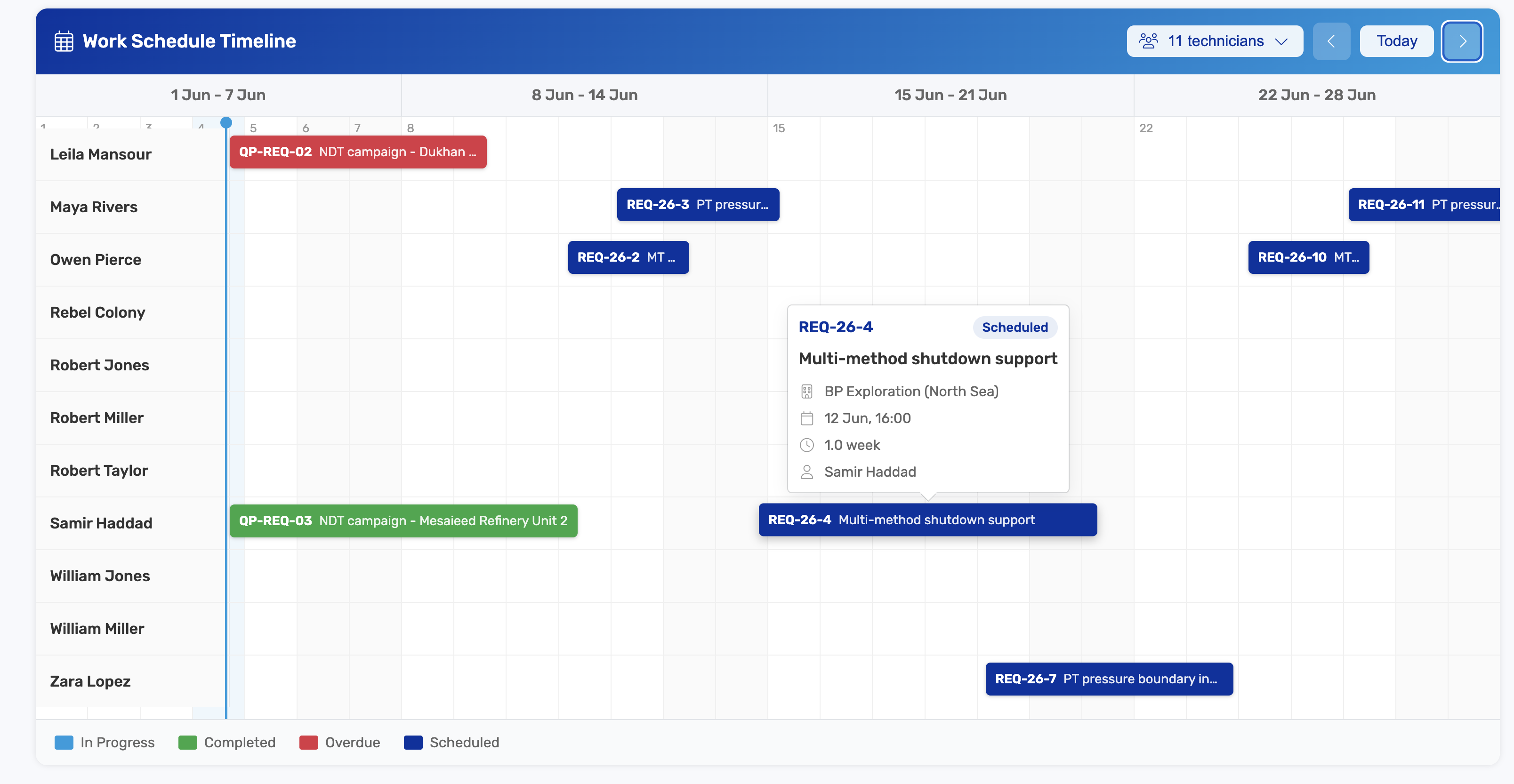
Work request timeline showing chronological activity, comments and status changes

Every work request carries a built-in timeline that's as much a planning tool as it is a record. Map out upcoming milestones, schedule the next step, and coordinate the team—while the same timeline captures each event in order, so you can prove who did what and when. It's where work gets planned forward and traced back.

  • Schedule & Plan Ahead— Lay out upcoming milestones, set target dates, and sequence the next steps right on the request. The timeline keeps coordinators and crews aligned on what happens next, so jobs are planned and dispatched on time instead of slipping through the cracks.
  • Chronological Event Log— Every action—creating, editing, issuing, assigning, or completing a request—is automatically time-stamped and added to the timeline, so you can trace exactly who did what and when without piecing together emails or spreadsheets.
  • Inline Comments & Context— Team members can leave notes, raise questions, and document decisions directly on the request. The conversation lives alongside the work itself, so context never gets lost in separate inboxes or chat threads.
  • Status & Sign-Off Tracking— Watch each request move from draft to approved to completed, with every status change and digital sign-off logged against a user ID and timestamp—creating a clear chain of responsibility at every stage.
  • Audit-Ready Traceability— The timeline doubles as an immutable audit trail, giving you the evidence you need for ISO 17020, API, or client audits—proving due diligence and accountability across the full life of every request.

Managerial Control: Centralized Request Dashboard

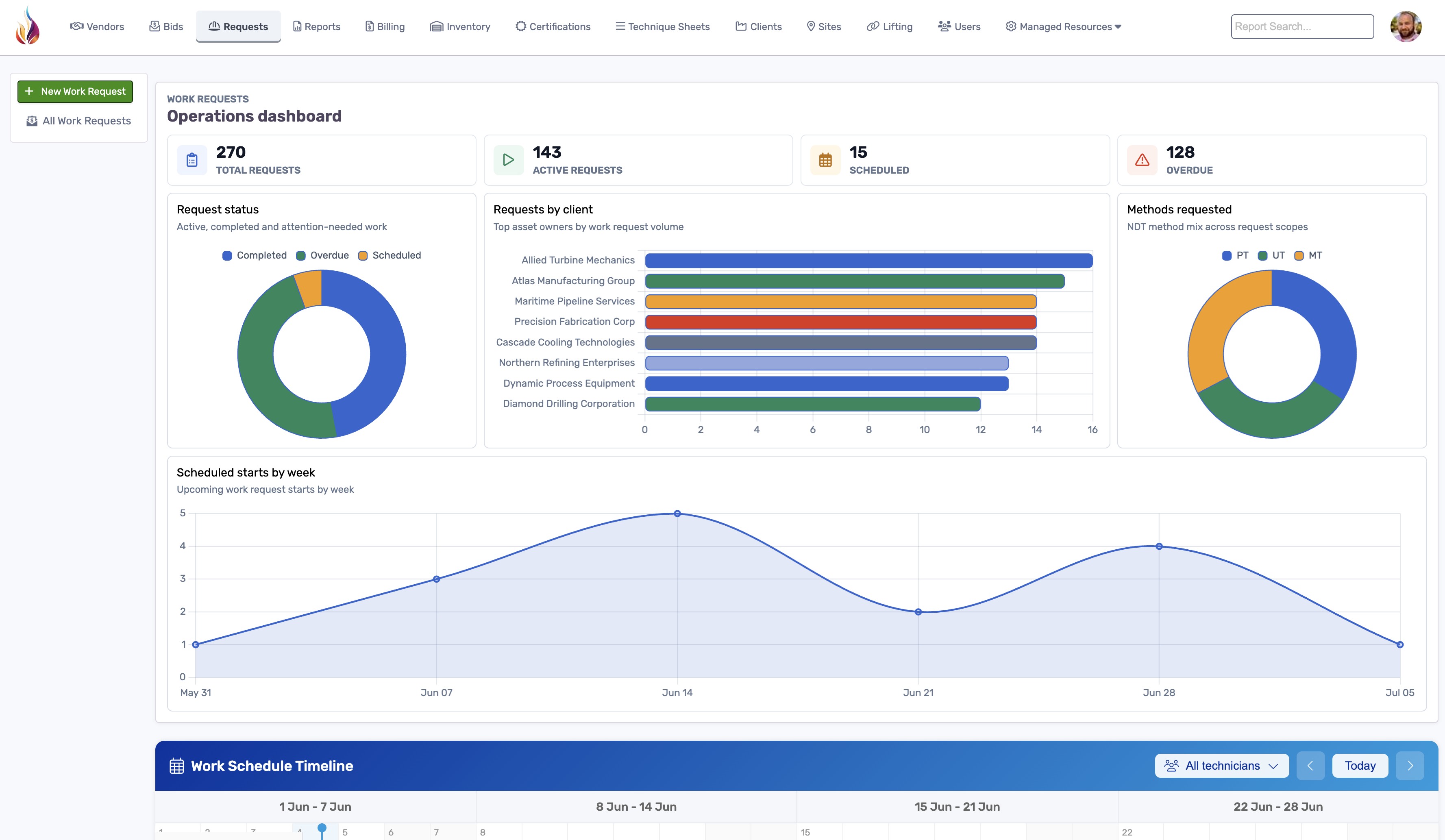
Dashboard showing open work requests, statuses and assignments

See every outstanding request at a glance—track by priority, location or technician. Assign faster, monitor progress and ensure no request falls through the cracks.

  • Live Queue View — Pending, In-Progress, Completed— Gain real-time visibility over your entire inspection workload. The centralized dashboard shows exactly what stage each request is in—from draft to completed—so managers can instantly identify bottlenecks, avoid scheduling conflicts, and keep work flowing smoothly across teams and vendors.
  • Full-Text Search & Filtering— Quickly find any request by typing part numbers, client names, asset tags, or keywords. Apply advanced filters by location, status, date range, or assigned technician to cut through the noise and focus on what matters right now.
  • Role-Based Access & Approvals— Maintain control without micromanaging. Assign custom permissions to team leads, supervisors, or contractors so they can view, edit, or approve requests based on their role—keeping the right people accountable while protecting sensitive data.
  • Alert on Overdue or Unassigned Orders— Never miss a critical job. Built-in alerts notify you when a request is overdue, unassigned, or idle for too long—so you can intervene before it becomes a risk to compliance, safety, or client satisfaction.

Complete Work Request Management

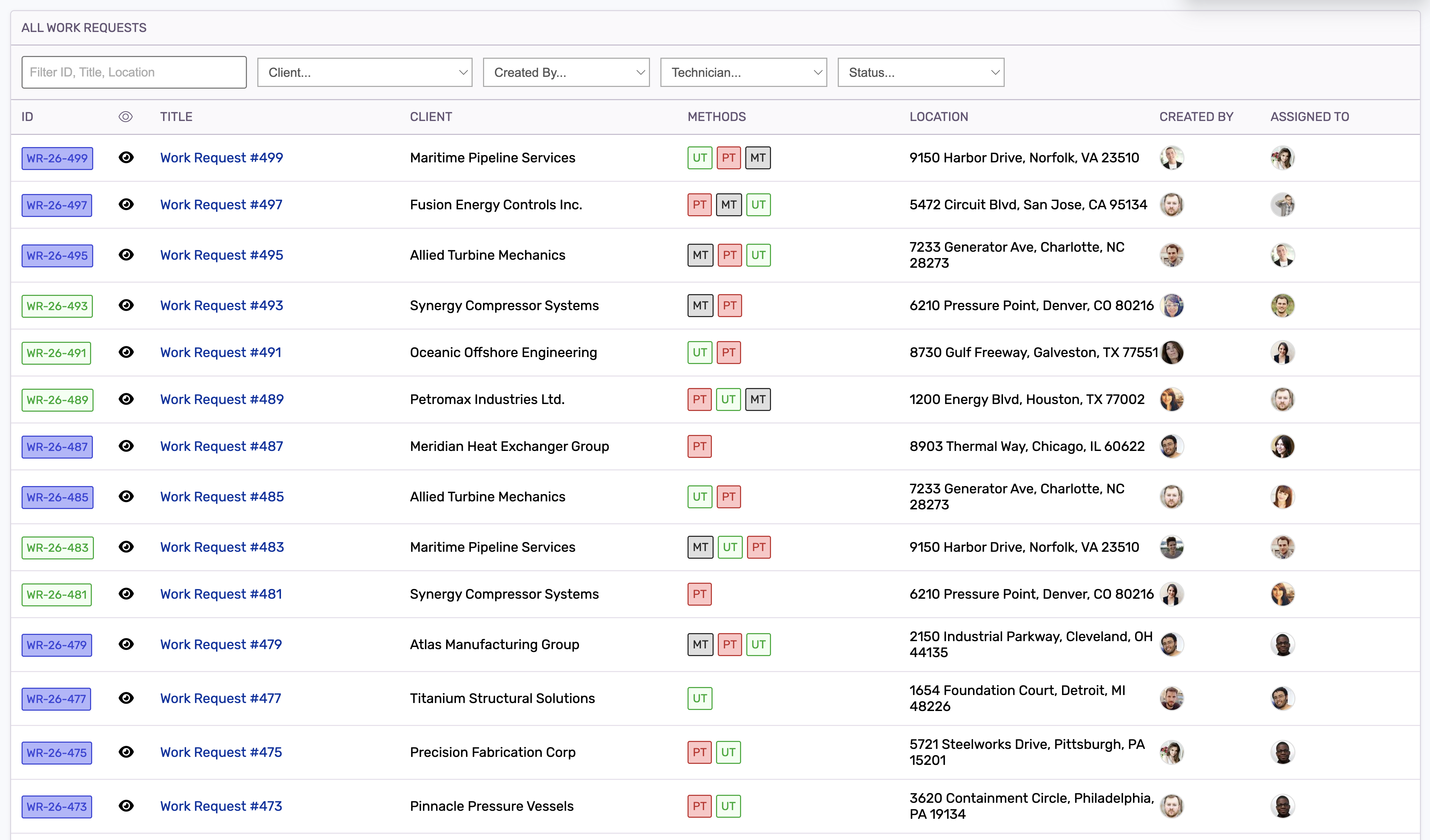
AgileNDT work request index showing request records and statuses

Ditch manual form-filling and PDFs. Our Work Request Builder guides teams through equipment lists, inspection codes, scope details, priorities, attachments, and approval requirements, then issues a structured digital work order in seconds.

Built-in validation flags missing fields before the request is released, while searchable request indexes keep every job visible by status, client, asset, location, and assigned team. The result is faster request creation, fewer mis-inspections, and a cleaner handoff into reporting and billing.

  • Drop-Down Catalogues For Equipment & Standards— Build accurate requests by selecting from preloaded equipment types, inspection methods, codes, and standards instead of relying on inconsistent free text.
  • Auto Numbering & Version Control— Assign each request a unique ID and retain a complete history when scope, priority, attachments, or instructions change.
  • Clone & Batch-Create Similar Requests— Save time when issuing repeat inspections across similar assets, locations, or vendors by cloning an existing request and changing only the details that matter.
  • Email Or Portal Delivery— Send issued work requests through secure email links or make them available through the AgileNDT client portal so vendors and customers receive the right scope immediately.

Seamless Link to Reports & Billing

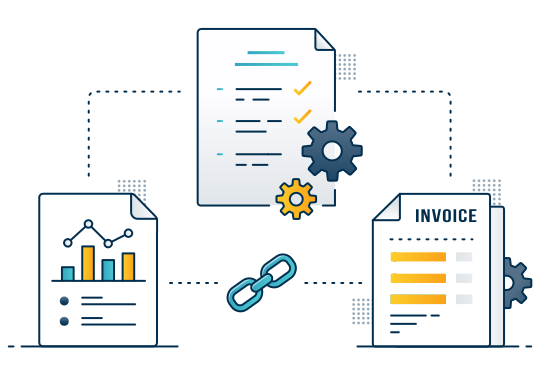
One source of truth: your work request flows into the NDT report template and billing module—no double data entry. Streamline hand-offs and maintain data fidelity from start to finish.

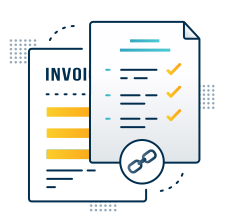
Graphic showing work request linking to report and invoice
  • Auto-Populate Report Fields Eliminate redundant data entry. Information from your original work request—like asset IDs, inspection method, location, and scope—automatically populates the corresponding fields in the inspection report. This reduces errors, saves time, and ensures that what was requested is exactly what gets reported.
  • Generate Invoice from Request Items Turn completed work into accurate invoices with a single click. AgileNDT uses your predefined rates and work request line items to build a draft invoice instantly, linking it directly to the relevant report and job. No need to retype hours, equipment, or pricing—just review and send.
  • Webhook & API Connectors Integrate AgileNDT seamlessly with your existing ERP, finance, or document control systems. Use our webhooks or REST API to sync job data, push completed reports, or trigger downstream workflows—so your back office stays connected without manual exports or uploads.
  • Attach Scope Docs & Photos All job-related documents—PDFs, scope of work, drawings, photos, or site notes—can be attached directly to the work request and carried through to the report and billing record. Everything stays together in one place, so you never have to track down missing files later.

How Work Requests Flow Through AgileNDT

From scope to execution, every work request follows a clear, compliant path. AgileNDT guides each step—defining the scope, securing approvals, dispatching the crew, and linking straight into reports and billing—so nothing falls through the cracks.

Define Scope & Standards

Start by selecting equipment, inspection methods, and relevant codes in AgileNDT’s intuitive form builder, so every request is complete, compliant, and ready for execution.

  • Guided form builder
  • Preloaded code catalogs
  • API 570 & ASME V ready
  • Client-specific specs

Review & Approve

Once drafted, the work request routes to a technical lead or supervisor, who validates fields, flags missing information, and digitally signs off—adding quality control before any fieldwork begins.

  • Field validation
  • Internal comments
  • Digital sign-off
  • Audit confidence

Dispatch to Technician

Once approved, assign the request to your NDT crew with a single click. Technicians receive a fully structured work order directly on their mobile device or tablet.

  • One-click assignment
  • Mobile & tablet delivery
  • Scope, location & attachments
  • No paperwork, no delays

Link & Execute

As the technician carries out the inspection, the request feeds automatically into the corresponding report and billing modules—creating a single, traceable workflow from start to finish.

  • Auto-populated reports
  • Linked billing items
  • Reduced duplication
  • End-to-end traceability

Key Benefits of Work Requests

Clear Instructions

Standardized, code-mapped templates eliminate ambiguity on the job.

Rapid Creation

Guided forms and auto-populate cuts request prep time by up to 70 %.

Error Reduction

Built-in validation flags missing or mismatched codes before issuance.

Full Traceability

Immutable audit logs and version history underpin regulatory compliance.

Seamless Handoff

Work requests link directly to reports and invoices for end-to-end flow.

Mobile Dispatch

Techs receive orders instantly on their device—no paper, no delays.

Centralized Oversight

A live dashboard keeps every request visible by status, priority, and team.

Instant Delivery

Issue work orders via secure email or the client portal in a single click.

Standards Compliance

Templates mapped to ISO 17020 and API codes keep every request audit-ready.

Request A Demo Download Brochure

Since 2011 we've been building cloud based reporting software for the NDT industry.

© 2026 Rebel Colony Ltd. AgileNDT is a service offered by Rebel Colony Ltd, a company registered in Scotland (SC570568). 10 Knockbreak St, Tain, IV19 1BJ, United Kingdom